
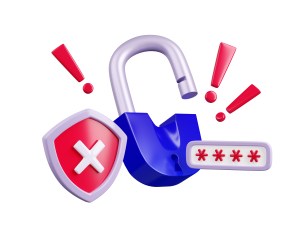
How Hackers Can Get In With No Password Needed
Hackers can break into accounts even without knowing any passwords. This article explains, in simple terms, how that happens and how you can protect yourself.
Why passwords are not enough
Most people think, “As long as nobody knows my password, I’m safe.” In reality, hackers often go around your password instead of going through it. They target your phone, email, or active logins, and use those to get into your accounts.
1. The “Forgot Password” trick
When you click “Forgot password,” websites usually send a reset link or code to your email or mobile number. If a hacker gets into your email or controls your phone number, they can reset your passwords without ever knowing the old ones. Once they do that, they can lock you out of your own account.
How to protect yourself:
- Treat your main email like a master key and use a strong, unique password for it.
- Turn on two-step verification or multi-factor authentication (MFA) for email and important accounts.
- Avoid sharing personal details (like full birthday, mother’s maiden name, pet names) publicly, as these are often used for security questions.
2. Stealing your mobile number (SIM swapping)
Some criminals trick mobile providers into moving your number to a SIM card they control. When that happens, all calls and text messages (including one-time passwords or OTPs) go to them. They can then enter your number, request a login code, receive it on their phone, and access your accounts without knowing your password.
How to protect yourself:
- Never share OTPs or verification codes with anyone, even if they claim to be from a bank, telco, or delivery service.
- Be extra careful if your phone suddenly loses signal for a long time for no clear reason; contact your provider immediately.
3. Hijacking your active session (cookies and “stay logged in”)
When you log in to apps and websites, they often keep you “logged in” using small files called cookies or tokens. If malware (malicious software) on your device steals these, hackers can sometimes reuse them to pretend to be you. This means they can open your account without typing a password or OTP, as if they are using your already-logged-in device.
How to protect yourself:
- Install apps only from official app stores and keep your phone and computer updated.
- Use reputable security software and run regular scans.
- Avoid clicking suspicious links in emails, chats, or social media, especially if they look urgent or too good to be true.
4. Fake websites and messages (phishing)
Phishing happens when cybercriminals send messages that look like they came from a trusted company, such as your bank, a delivery service, or even your telco. These messages often contain links to fake websites that look real. Once you enter your details there, the attackers can use them immediately, sometimes in the same “session,” making it feel like they never needed your password.
How to protect yourself:
- Do not click login links in unexpected emails or messages; instead, type the official website address yourself or use your own app.
- Check the website address carefully; even small spelling changes can mean it’s fake.
- Be suspicious of messages that pressure you with threats (“your account will be closed”) or urgent promises (“you won a prize”) and ask you to log in or provide codes.
5. Weak device and Wi‑Fi security
Even if your password is strong, leaving your phone unlocked or using unsafe Wi‑Fi can expose your accounts. Someone with physical access to your device can open apps that are already logged in. On unsecured public Wi‑Fi, attackers may intercept what you do online or direct you to fake sites.
How to protect yourself:
- Always lock your phone and laptop with a PIN, fingerprint, or face recognition.
- Do not leave your devices unattended in public places.
- Avoid sensitive transactions (like banking) on public Wi‑Fi; if you must, use a trusted VPN.
6. Poor online hygiene
Hackers rely on small, everyday mistakes: reusing the same password everywhere, sharing too much personal information, or ignoring security alerts. Each one opens another “door” they can try.
Healthy habits to practice:
- Use different passwords for important accounts (email, banking, social media).
- Turn on multi-factor authentication wherever it is offered.
- Regularly review your account activity and security alerts, and log out of accounts on shared or public devices.
- Think twice before sharing personal details online that could be used to answer security questions or guess your logins.
Final message:
A strong password is important, but it is not the only thing that keeps you safe. Hackers can take over accounts through your email, SIM, devices, or careless clicks, even without knowing your password. By practicing good cyber hygiene and being cautious with messages, links, and personal information, you greatly reduce the chances that someone can take over your accounts.